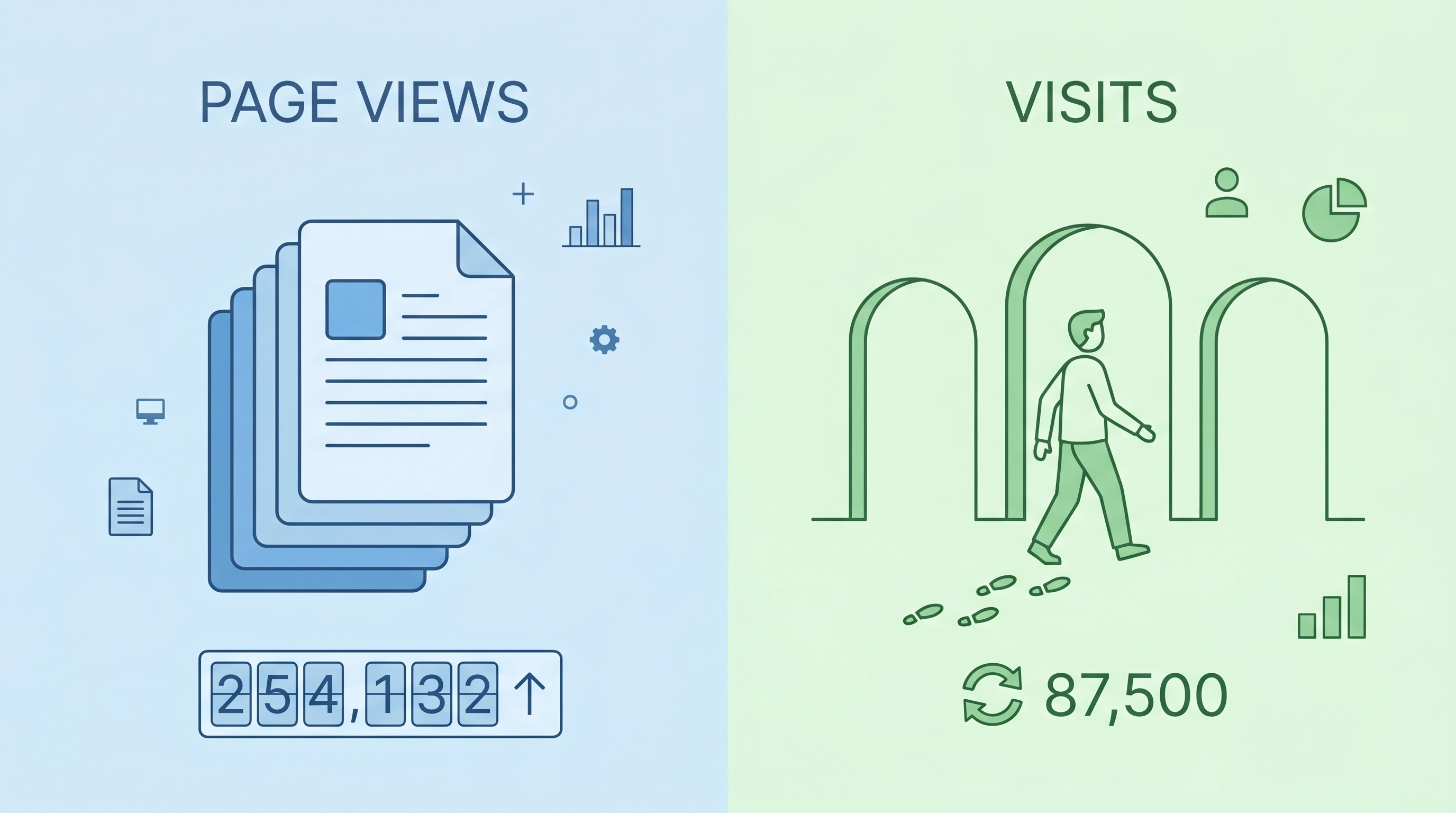
You open your website analytics and spot two numbers: page views and visits. They sound similar, but they tell very different stories. So what do they actually mean? And more importantly, which one deserves your attention?
If these terms have ever confused you, you’re in good company. Most website owners know both numbers matter, yet few grasp the real difference. That confusion leads to poor decisions – like celebrating high page views while ignoring that most people leave after a single page.
Here’s the good news: once you understand the distinction, you’ll finally know what’s really happening on your site.
In this guide, you’ll learn:
-
What page views and visits (sessions) actually measure
-
The key differences between them, with real examples
-
How to use both metrics to improve content and conversions
-
Common mistakes that hurt your business
-
Practical strategies to boost both numbers
By the end, you’ll read your analytics with confidence and know exactly where to focus. Let’s get started.
Want to turn more visitors into loyal customers? Explore our SEO services to drive targeted traffic that actually converts.
What Is a Page View? The Complete Definition
A page view (often shortened to PV) counts every single time a page on your website loads in a browser. That’s it. Each load triggers one page view – regardless of who views it or how many times they reload the same page.
Let me give you a simple example. You visit my blog post about SEO tips. That’s one page view. Then you refresh the page because the images didn’t load properly. That’s another page view. You leave, come back an hour later, and read the same post again. That’s a third page view – from the same person, same content.
Analytics tools like Google Analytics count every page load as a separate page view. Repeated views of the same page? Yes, they all count.
Why Page Views Still Matter
Despite their limitations, page views remain a valuable metric. Here’s why smart marketers still track them:
-
Content popularity – High page views on a specific article tell you exactly what your audience finds valuable.
-
Ad revenue – If you monetize through ads, more page views directly increase your earnings.
-
SEO momentum – Pages with consistent page views often rank better in search results (indirectly, through user engagement signals).
-
Traffic trends – A steady increase in page views suggests your overall visibility is growing.
The Hidden Limitation of Page Views
Here’s the catch: page views don’t tell you much about user behavior. A single visitor can generate 50 page views by clicking around. Meanwhile, 50 different visitors could generate 50 page views. The number looks identical, but the reality is completely different.
Relying only on page views gives you an incomplete picture. You need other metrics to understand what’s actually happening.
What Is a Visit? (Also Called a Session)
A visit (or session) represents a single user’s continuous interaction with your website within a specific time window.
Think of a visit as someone walking through your store’s front door. Once inside, they might look at one product or twenty. They might stay for thirty seconds or thirty minutes. But everything they do – from the moment they enter until they leave – belongs to one visit.
How Sessions Work in Google Analytics (GA4)
Modern analytics tools define sessions with clear rules:
-
A session starts when a user lands on your site from any source – search, social, direct, or referral.
-
A session ends after 30 minutes of inactivity. If someone browses, leaves their computer for an hour, then clicks another page, that click starts a brand new session.
-
A session also ends at midnight. Any activity after midnight counts as a new session.
Did you know? Google Analytics 4 (GA4) introduced “engaged sessions” – visits that last over 10 seconds, include a conversion, or have 2+ page views. Learn more about GA4 session logic here.
Page Views vs. Visits: The Fundamental Difference
Here’s the core distinction you need to remember:
| Metric | What It Counts | Example |
|---|---|---|
| Page Views | Every page load (including reloads) | One user clicks 5 pages → 5 page views |
| Visits (Sessions) | Each unique browsing session | One user clicks 5 pages → 1 visit |
One visit can contain many page views. But one page view never equals multiple visits.
Let me illustrate with a real scenario.
Monday morning: You search Google for “best running shoes,” click my review page, read it for five minutes, then click three other shoe comparisons on my site. You close your browser and leave.
That was: 1 visit, 4 page views.
Tuesday afternoon: You return directly to my site, read a new shoe guide, then leave after two minutes.
That was: 1 new visit, 1 page view.
Total over two days: 2 visits, 5 page views.
Same person. Different days. Different sessions. This is why visits give you a better sense of unique engagement periods, while page views show you total content consumption.
Want deeper insights into your audience behavior? Our lead generation experts help you attract qualified visitors who stay and convert.
Unique Page Views: The Metric You’re Probably Overlooking
Before we go further, let me introduce unique page views. This metric sits right between page views and visits.
A unique page view counts a page only once per session, no matter how many times the user views or reloads it during that session.
Here’s the difference in action:
-
Page views: User loads the same article three times → 3 page views
-
Unique page views: User loads the same article three times → 1 unique page view
Why does this matter? Unique page views remove the “reload noise” and give you a cleaner picture of how many sessions actually included that page.
Many analytics platforms calculate unique page views using the page URL + page title combination. If the title changes (like a “Page 2” in a series), it may count as a separate unique view.
How Page Views and Visits Work Together
Neither metric is “better” than the other. They answer different questions. Let’s break down when to focus on each.
When to Focus on Page Views
Prioritize page views when you care about:
-
Total content consumption – How much of your site do people actually read?
-
Ad impressions – More page views typically mean more ad revenue.
-
Specific page performance – Which articles or products attract the most attention?
-
Long-term growth – Is your overall traffic volume increasing month over month?
When to Focus on Visits
Prioritize visits when you care about:
-
Audience reach – How many distinct browsing sessions does your site attract?
-
Marketing campaign performance – Which channels drive the most sessions (not just clicks)?
-
User acquisition trends – Are more people discovering your site over time?
-
Session quality metrics – Visits provide the denominator for bounce rate, average session duration, and pages per session.
The Most Valuable Metric: Pages Per Visit
Here’s a pro tip: pages per visit (page views divided by visits) tells you more than either metric alone.
This number reveals how deeply users engage during each session.
-
1 page per visit → Users land and leave immediately (high bounce rate)
-
2–3 pages per visit → Average engagement, users explore some content
-
4+ pages per visit → Strong engagement, users find multiple valuable pages
Industry benchmarks vary widely. E-commerce sites often average 4–6 pages per visit. Blogs typically average 1.5–2.5. Highly engaging platforms like YouTube report high numbers, but their session definition differs – so compare against your own past data, not other industries.
Want to keep visitors exploring your site longer? Our UI/UX design team creates intuitive experiences that guide users naturally from page to page.
What About Bounce Rate?
Bounce rate measures the percentage of single-page visits – visits where the user leaves without viewing a second page. A high bounce rate means low pages per visit. Reducing bounce rate is one of the fastest ways to increase average page views. Think with Google research shows that as page load time goes from 1 to 3 seconds, bounce rate jumps by 32%.
Real-World Examples That Clarify the Difference
Let me walk you through three common scenarios. Each one shows why understanding page views versus visits changes how you interpret your data.
Example 1: The Loyal Reader
Sarah discovers your blog through a Pinterest pin. She reads the pinned article, then clicks three related posts. She spends twenty minutes on your site before leaving.
-
Visits: 1
-
Page views: 4
-
Pages per visit: 4
What this tells you: Sarah found your content valuable. She explored beyond the landing page. Your internal linking and content quality are working.
Example 2: The Serial Refresher
Mike lands on your homepage from a Google search. He refreshes it five times because images load slowly. Frustrated, he leaves.
-
Visits: 1
-
Page views: 6 (1 initial load + 5 refreshes)
-
Unique page views: 1
What this tells you: High page views look good on the surface, but the unique page view reveals the truth – Mike only saw one page. Your slow loading times cost you a potential customer.
Example 3: The Comparison Shopper
Jenna finds your product page through a Facebook ad. She spends ten minutes reading your product details, then clicks to your pricing page, FAQ, and finally your contact page. She doesn’t buy today but bookmarks your site for later.
-
Visits: 1
-
Page views: 4
-
Pages per visit: 4
What this tells you: Jenna is highly interested. She’s researching thoroughly before making a decision. Your site navigation and content are guiding her through the buyer’s journey effectively.
Why the Page Views vs. Visits Confusion Hurts Your Business
I’ve seen too many business owners make costly mistakes by misinterpreting these metrics. Here are the most common errors – and how to avoid them.
Mistake #1: Celebrating High Page Views While Ignoring Low Visits
High page views with low visits usually means a small group of people generates most of the views. That’s not necessarily bad – loyal users are valuable – but it doesn’t indicate broad audience growth.
The fix: Track visits alongside page views. If visits aren’t growing, you’re not reaching new people, regardless of how many pages your existing audience views.
Mistake #2: Assuming One Page View Equals One Happy Visitor
A single page view could mean:
-
A visitor read your entire article (good)
-
A visitor bounced immediately (bad)
-
A visitor reloaded due to a technical issue (ugly)
The fix: Look at average time on page and bounce rate. These tell you whether page views represent genuine engagement or just noise.
Mistake #3: Optimizing for Page Views at the Expense of User Experience
Some website owners break long articles into multiple pages just to inflate page views. This frustrates users and hurts SEO.
The fix: Focus on user value first. When you create genuinely helpful content, the metrics will follow naturally.
7 Strategies to Increase Both Page Views and Visits
Now for the actionable part. Here’s how to move both numbers in the right direction.
1. Master Internal Linking
Every blog post and product page should link to at least 2–3 other relevant pages on your site. Internal linking:
-
Increases page views per visit
-
Distributes SEO authority across your site
-
Guides users to your most valuable content
Pro tip: Use descriptive anchor text. Instead of “click here,” write “learn more about our SEO pricing.”
2. Create Content Clusters
Organize your content around pillar pages and supporting articles. A pillar page covers a broad topic (like “email marketing”). Supporting articles dive into specific subtopics (like “subject line best practices”).
When you link supporting articles back to the pillar page, users naturally navigate through your content ecosystem.
3. Optimize Page Speed
Slow pages kill engagement. Google’s research shows that as page load time increases from 1 to 3 seconds, bounce rate jumps by 32%.
Quick wins: Compress images, enable browser caching, and minimize JavaScript. Use Google PageSpeed Insights to identify specific fixes.
Is slow loading hurting your traffic? Our web development team builds fast, optimized websites that keep visitors engaged.
4. Add Related Content Suggestions
Place “you might also like” sections at the end of your blog posts. Show 3–4 related articles with compelling thumbnails and titles. This simple addition often increases page views per visit by 15–30%.
5. Use Compelling Meta Descriptions
Your meta description appears in search results. A compelling description increases click-through rates, which directly increases visits.
Formula: Benefit + Curiosity + Clear value. Example: “Learn how to double your email open rates with these 7 subject line templates. No spam, just results.”
6. Promote Your Best Content on Social Media
Don’t just share new content. Reshare your evergreen articles every 3–4 months. Each share drives new visits from people who missed it the first time.
Pro tip: Repurpose blog content into LinkedIn posts, Twitter threads, and YouTube scripts. Each format reaches different audiences.
7. Fix Technical Issues That Kill Sessions
Broken links, 404 errors, and intrusive popups end sessions prematurely. Run regular site audits to catch these problems.
How Different Analytics Tools Define Page Views and Visits
Not all tools measure these metrics the same way. Here’s what you need to know.
Google Analytics 4 (GA4)
GA4 measures sessions (visits) with a 30-minute timeout. A session includes all page views, events, and ecommerce transactions. GA4 also tracks engaged sessions – visits lasting over 10 seconds or including multiple page views.
Adobe Analytics
Adobe counts visits similarly but offers more customization around timeout periods. You can set session timeouts as low as 30 minutes or as high as several hours.
Matomo (formerly Piwik)
Matomo counts visits with configurable timeout settings. It also tracks unique page views per session, removing reload noise from your reports.
Parse.ly
Parse.ly defines a visit as a session from an external source (like search or social). Internal navigation within the same session doesn’t create new visits.
Key takeaway: Always check how your specific tool defines these metrics before making comparisons. Parse.ly’s documentation provides a clear breakdown.
Page Views, Visits, and SEO: What Google Actually Cares About
Does Google use page views or visits as ranking factors?
Short answer: No, not directly. Google doesn’t see your analytics data.
Long answer: Google observes user behavior through Chrome browser data and its own algorithms. If users consistently click your result, stay on your page, and don’t immediately return to search results, Google interprets this as a sign of quality.
This is where page views and visits become indirectly important:
-
Dwell time (how long users stay on your page) correlates strongly with visits that include meaningful engagement.
-
Click-through rate directly impacts how many visits your pages receive from search.
-
Pages per visit suggests content quality and site structure – both of which Google evaluates.
So while Google doesn’t see your page view count, the user behaviors that generate healthy page views and visits absolutely affect your rankings. Google’s own Search Quality Evaluator Guidelines confirm that user satisfaction signals matter.
Frequently Asked Questions (FAQ)
Q1: Can one visit have zero page views?
No. Every visit includes at least one page view – the landing page. A visit with zero page views is impossible by definition.
Q2: Does refreshing a page count as a new page view?
Yes. Most analytics tools count each page load or reload as a separate page view. Unique page views filter out these reloads, counting only one per session.
Q3: How many page views per visit is good?
It depends on your industry. Blogs average 1.5–2.5 pages per visit. E-commerce sites average 4–6. The key is tracking your own trend – are your numbers improving over time? Compare against your past performance, not arbitrary benchmarks.
Q4: What’s the difference between a visit and a unique visitor?
A visit counts each session. A unique visitor counts each person (or device) regardless of how many sessions they start. One unique visitor can generate multiple visits over days or weeks.
Q5: Why do my page views sometimes drop even when visits increase?
This happens when new visitors engage less deeply than your existing audience. For example, if loyal users previously viewed 5 pages per visit but new users view only 2 pages per visit, total page views could fall while total visits rise.
Q6: How does bounce rate relate to page views and visits?
Bounce rate measures the percentage of single-page visits – visits where the user leaves without viewing a second page. A high bounce rate means low page views per visit. Reducing bounce rate is one of the fastest ways to increase average page views.
Q7: Do page views from bots count?
Yes, unless you filter them out. Most analytics tools offer bot filtering, but it’s not always perfect. Enable “exclude known bots and spiders” in your analytics settings for cleaner data.
Q8: Should I focus on increasing page views or visits first?
Start with visits. If people aren’t coming to your site, page views don’t matter. Once you have consistent traffic, optimize for higher page views per visit to deepen engagement.
Conclusion: Stop Confusing Page Views with Visits
Page views and visits measure two different things. Neither is “right” or “wrong.” They simply answer different questions.
-
Page views tell you how much content people consume.
-
Visits tell you how many browsing sessions your site attracts.
The smartest approach combines both metrics:
-
Track visits to measure audience reach and marketing effectiveness.
-
Track page views to measure content consumption and ad performance.
-
Calculate pages per visit to measure engagement quality.
-
Monitor unique page views to remove reload noise from your reports.
Stop obsessing over one number. Start understanding what each metric actually reveals about your audience.
And remember: metrics exist to help you make better decisions, not to give you bragging rights. Use page views and visits to identify what’s working, fix what isn’t, and create a website that people actually want to explore.
Ready to transform your website’s performance? Contact our team today to discuss custom strategies that drive real results.