

You feel like your website should perform better. It looks decent, and you add content regularly, but the traffic numbers just won’t budge. Worse, visitors leave without buying or contacting you. You likely have hidden problems you cannot see by simply browsing your site.
A website audit acts like a full health checkup for your online presence. It uncovers technical errors, poor user paths, and content gaps that silently kill your growth. Think of it as an MRI for your digital storefront it shows you the internal fractures before the whole structure collapses.
This guide walks you through a proven 5-step audit process. Follow these steps to find exactly what holds you back and create a clear plan to fix it.
Want to skip the technical headaches? Let our SEO experts at Vastcope run a complete website audit for you so you can focus on running your business.
What Exactly Is a Website Audit?
A website audit is a systematic analysis of everything affecting your site’s performance. You will check technical health, on-page content, backlink quality, user experience (UX), and conversion paths. Think of it as inspecting every room in a house: you check the foundation (crawlability), the furniture (content), and the door locks (CTAs).
Most business owners only fix problems when they break. A proactive audit helps you find slow leaks before they become floods. You will end this process with a prioritized task list, not just a pile of confusing data.
Lay the Groundwork (Pre-Audit Setup)

Jumping into data without a plan creates chaos. You need clear goals and the right tools before you start pulling reports.
Define Your Core Objectives
Ask yourself why you are doing this audit. Your answer changes what you look for.
- If you want more traffic: Focus on technical crawlability, page speed, and keyword gaps.
- If sales are low: Prioritize UX flows, CTA placement, and checkout or form completion paths.
- If rankings dropped: Analyze backlinks, content freshness, and meta tags.
Write down two or three specific goals. For example, “Reduce homepage load time to under 2.5 seconds” or “Identify five pages with high impressions but low clicks.”
Gather Your Essential Tools
You do not need expensive enterprise software to start. Free tools handle most of the heavy lifting.
- Google Search Console (GSC): Shows indexing status, search queries, click-through rates, and manual actions.
- Google Analytics (GA4): Tracks user behavior, bounce rates, and conversion paths.
- Google PageSpeed Insights: Measures Core Web Vitals and suggests performance fixes.
- Screaming Frog SEO Spider (free up to 500 URLs): Crawls your site to find broken links, duplicate content, and redirect chains.
- Ahrefs or Semrush (free trials available): Analyzes backlink profiles and competitor keywords.
Open these tools and keep them ready. You will refer to them constantly throughout the audit.
Check Your Technical Foundation

Search engines cannot rank what they cannot find. Technical SEO ensures Google’s bots can crawl, index, and understand your site structure without getting lost.
Run a Full Site Crawl
Use Screaming Frog or your preferred SEO tool to crawl every page on your site. Look for these red flags:
- 4xx errors (Page Not Found): Each broken link wastes crawl budget and frustrates users.
- 5xx errors (Server issues): These indicate hosting or backend problems.
- Redirect chains (Page A → Page B → Page C): Each redirect slows down loading.
- Orphan pages: Pages with no internal links pointing to them. Search engines cannot find them easily.
Fix tip: Create a 301 redirect map for broken URLs. Remove or update internal links pointing to dead pages.
Analyze Indexability in GSC
Go to Google Search Console and click “Pages” under the Indexing section. You will see which pages Google includes in its index and which it excludes.
Pay special attention to “Excluded by ‘noindex’ tag” and “Crawled – currently not indexed.” These often signal accidental blocking or thin content. According to Google’s official documentation, a page that gets crawled but not indexed usually lacks unique value or contains technical directives telling Google to stay away.
Action step: Submit your XML sitemap in GSC if you haven’t already. Ensure the sitemap contains only canonical URLs and excludes pagination or parameter-based duplicates.
Audit Your Core Web Vitals
Google uses real-user data to measure three loading and interaction metrics. Poor scores directly hurt rankings.
- Largest Contentful Paint (LCP): Measures loading of the main content. Aim for under 2.5 seconds. Large hero images or slow server response times usually cause failures.
- Interaction to Next Paint (INP): Measures responsiveness to clicks or taps. Aim for under 200 milliseconds. Remove heavy JavaScript that blocks the main thread.
- Cumulative Layout Shift (CLS): Measures visual stability. Aim for under 0.1. Set explicit width and height for images and videos to prevent sudden movements.
Run your homepage and top landing pages through PageSpeed Insights. The tool lists specific fixes like “Reduce unused JavaScript” or “Serve next-gen image formats.”
Not comfortable digging into code? Our web development team at Vastcope can fix all your Core Web Vitals issues without slowing down your business.
Review Your Site Architecture
A flat site structure helps users and search engines find deep content in three clicks or less.
- Create topic clusters: Link a pillar page (e.g., “Lead Generation Guide”) to related subtopics (e.g., “LinkedIn Lead Tactics”).
- Use descriptive URLs: “/services/seo-audit” works better than “/service?id=123”.
- Add internal links naturally: Link to relevant pages within your content body, not just in navigation menus.
Analyze Your On-Page Content
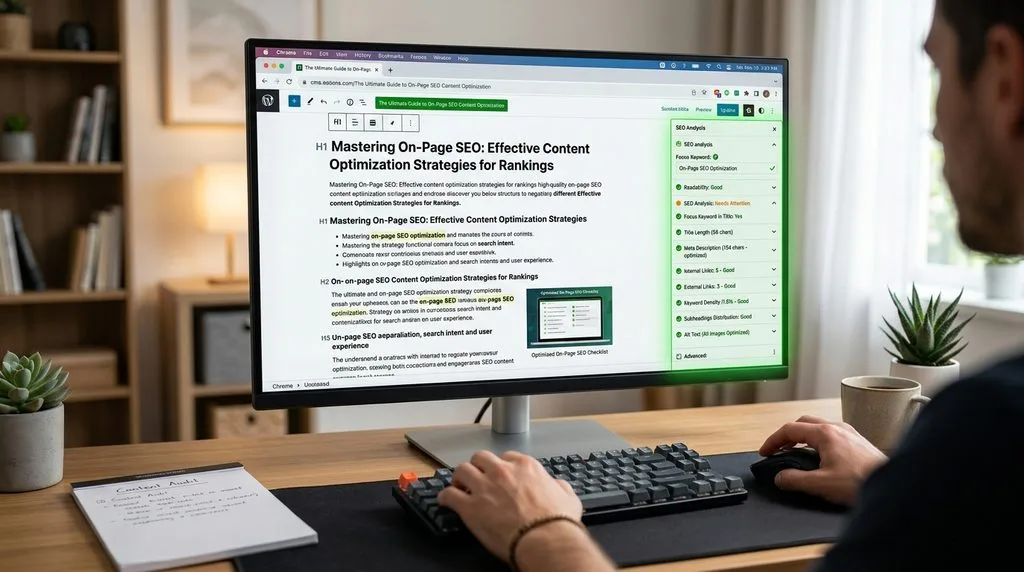
Content creates the reason for people to visit. But outdated or poorly optimized content actively repels traffic. A study by HubSpot found that updating old blog posts with current information can increase organic traffic by over 100% without creating anything new.
Audit Meta Titles & Descriptions
Each page needs a unique title (55–60 characters) and meta description (120–155 characters). Scan your pages for these common errors:
- Missing tags: GSC will show “No title tag” warnings.
- Duplicate tags: The same title across ten blog posts confuses search engines.
- Keyword stuffing: “Best shoes, buy shoes, cheap shoes” looks spammy.
- Vague descriptions: “Click here for more info” does not entice clicks.
Rewrite weak tags: Include your primary keyword near the start of the title. Write descriptions as a benefit-driven call to action. Example: “Struggling with low traffic? Learn how a 5-step website audit finds and fixes ranking killers. Download the free checklist now.”
Evaluate Content Quality & Freshness
Audit every page that gets traffic or ranks on page two. Ask three questions:
- Is it accurate? Update statistics, broken links, and outdated product specs.
- Is it complete? Add missing sections, examples, or visuals. A 300-word thin page will rarely outrank a 2,000-word comprehensive guide.
- Is it engaging? Break long paragraphs into short ones. Add bullet points, bold key phrases, and relevant images.
Pro tip: Use the “Performance” report in GSC. Find pages with high impressions but low click-through rates (CTRs). Improving their title and description alone often doubles clicks.
Check for Duplicate or Thin Content
Duplicate content confuses search engines about which version to rank. Thin content offers zero unique value. Use a tool like SmallSEOTools Duplicate Content Checker to find copy-pasted text across your domain. For thin pages (under 300 words) with no traffic, either delete them (add a 301 redirect) or merge them into a more robust page.
Struggling to create high-quality content consistently? Vastcope’s content and SEO team builds topic clusters that actually rank saving you time and guesswork.
Audit Your Backlink Profile
Think of backlinks as votes of confidence from other websites. But a few “bad votes” (spammy links) can get you penalized.
Find Toxic Links in Your Profile
Use a backlink tool like Ahrefs, Semrush, or Moz. Look for these red flags:
- Low Domain Authority (DA under 10): Links from junk directories or spam blogs.
- Irrelevant anchor text: Links from “poker chips” to your plumbing site.
- Links from foreign or adult sites: These are almost always harmful.
- Sudden spikes in link velocity: 1,000 new links overnight signals a paid or negative SEO attack.
Fix toxic links: First, contact the site owner and ask for removal. If they ignore you, use Google’s Disavow Tool to tell Google to ignore those links. Only disavow after you cannot remove a clearly harmful link.
Assess Your Link Diversity
A natural profile includes links from:
- Different domain types: .com, .org, .edu, .gov (where relevant)
- Different page types: blogs, news sites, resource pages, forums
- Different anchor texts: branded (“Vastcope”), generic (“click here”), and keyword-rich (“SEO audit guide”)
If 90% of your links use exact-match keywords (“cheap blue widgets”), Google may suspect manipulation. Aim for a balanced mix.
Identify Link Gaps
Run a competitor backlink analysis. Enter three competitors into Ahrefs’ “Competing Domains” report. The tool shows which sites link to them but not to you. These become your high-value outreach targets.
Turn backlinks into a growth engine. Vastcope’s link building service earns you high-authority, white-hat links while you sleep.
Assess User Experience & Conversions

Technical fixes attract people. Good UX and clear CTAs convert them into customers. Ignore this, and you pour traffic into a leaky bucket.
Map Your Key Conversion Paths
A conversion path is the journey from entry page to thank-you page. Common examples include: Homepage → Service Page → Contact Form → “Thank You.” Walk through each path on both desktop and mobile. Note every friction point.
- Distractions: Pop-ups that cover the CTA button or sidebars pushing unrelated offers.
- Friction: Asking for a phone number when an email address would work. A 10-field form when 4 fields suffice.
- Broken elements: A “Submit” button that does nothing. A phone number link that opens the wrong app.
Fix: Simplify forms to the absolute minimum. Make your primary CTA a contrasting color. Remove sidebars from checkout or form pages.
Analyze Behavioral Data
Heatmaps (use Microsoft Clarity for free) show exactly where people click, tap, and scroll. Look for:
- Rage clicks: Repeated clicks on a non-clickable element. Users expected a link there.
- Dead zones: Areas users ignore. Move important content into their natural scanning path (an F-shaped pattern).
- Short scroll depth: If 80% leave before the halfway mark, move your main CTA higher.
Run a Mobile-First Test
Over 60% of global web traffic now comes from mobile devices. Google also indexes the mobile version of your site first. Use your phone to test:
- Tap targets: Buttons need at least 48×48 pixels. Leave space between links to prevent mis-taps.
- Font size: 16px minimum for body text. Smaller fonts force users to zoom.
- Viewport settings: The site should fit the screen without horizontal scrolling or zooming out.
User experience killing your conversions? Vastcope’s UI/UX experts redesign confusing sites into lead-generating machines book a consultation today.
Your Actionable Website Audit Checklist
Print this checklist or copy it into your project management tool. Work through each item in order.
Technical Foundation
- Run a full crawl. Fix all 4xx and 5xx errors.
- Submit XML sitemap to GSC. No excluded critical pages.
- Core Web Vitals pass on mobile and desktop.
- No redirect chains longer than 2 hops.
- HTTPS enabled on all pages. No mixed content warnings.
On-Page Content
- Every page has a unique meta title (55–60 chars).
- Every page has a unique meta description (120–155 chars).
- No duplicate or thin content (under 300 words).
- H1 tags exist and match the page’s main topic.
- Internal links use descriptive anchor text.
Backlink Profile
- Run a backlink audit. Identify toxic domains.
- Remove or disavow confirmed spam links.
- Anchor text distribution looks natural.
- Competitor link gaps identified for outreach.
User Experience & Conversions
- Primary conversion path works perfectly on mobile.
- Forms have 4 fields or fewer.
- Main CTA visible without scrolling (on desktop and mobile).
- No pop-ups that cover critical content.
- Font sizes are 16px or larger on mobile.
Frequently Asked Questions (FAQ)
1. How often should I perform a full website audit?
Most small to medium sites benefit from a comprehensive audit once every six months. Run a quick technical audit (checking for broken links, speed, and indexing) monthly. After major updates like a redesign or platform migration, audit immediately.
2. Can I audit my website for free?
Yes. Google Search Console, Google Analytics, PageSpeed Insights, and Screaming Frog’s free version (crawls up to 500 URLs) handle 80% of the work. You only need paid tools for advanced backlink analysis or large-scale competitor research.
3. What is the most common mistake in a DIY website audit?
Focusing only on technical SEO while ignoring user experience and conversion data. You fix a slow page, but the CTA button remains hidden. Traffic goes up, but sales stay flat. Always connect your audit findings to business goals like leads or revenue.
4. How long does a complete website audit take?
For a standard business site (50–500 pages), set aside 10–15 hours if you work alone. Fixing the issues takes longer, often 2–4 weeks depending on the required development work. Prioritize critical fixes first.
5. Which pages should I audit first?
Start with your money pages: homepage, product or service pages, high-traffic blog posts, and the contact or checkout page. These directly impact your revenue. After fixing those, audit the rest of the site.
6. What is a “thin content” page, and how do I fix it?
A thin page has fewer than 300 words of low-value content, like a short product description or a “services” page listing only names. Fix by merging it into a related page (with a 301 redirect) or expanding it to 800+ words with original insights, examples, or media.
7. How do I know if a bad backlink is causing a penalty?
Check Google Search Console for a “Manual Action” notice under the “Security & Manual Actions” tab. If you see “Unnatural links to your site,” that is a penalty. If no notice but rankings dropped, the links likely caused an algorithmic filter (like Google’s Penguin update). Disavow harmful links in either case.
8. Should I delete old blog posts?
Do not delete a post that has any backlinks or traffic. Instead, update it with current information and a clear date stamp. Only delete posts with zero traffic, zero backlinks, and no relevance to your current business. Then, redirect the old URL to a related live page using a 301 redirect.
9. What is the difference between a site audit and a site review?
A site review gives you surface-level opinions (e.g., “I don’t like this color”). A site audit provides data-backed diagnoses (e.g., “Your LCP is 4.2 seconds because of unoptimized images”). Always demand data, not just opinions.
10. Does page speed really affect conversion rates?
Yes, directly. Amazon found that every 100ms of delay cost them 1% in sales. Research from Portent shows that a site loading in 1 second has a conversion rate 3x higher than a site loading in 5 seconds.
Turn Your Audit Into Action
You now have the step-by-step process and a detailed checklist. Perform the audit yourself, or partner with a team that does this daily.
Ready to skip the technical work and get straight to results? Contact Vastcope today for a complete website audit, SEO strategy, and lead generation plan that we fully execute for you.
Keep reading
All articles
Top 10 High Quality SEO Backlinks Strategies That Boost Rankings in 2026
Search engines continually refine their algorithms to deliver the most accurate, authoritative results to users. While many ranking factors evolve, high-quality backlinks…
Read article
Top 10 SEO Goals Your Business Should Target for 2026
Search engine optimization never stands still. Just when you master one update, the next wave of technology reshapes how people find information.…
Read article
What Are Keywords and Why Are They Important for SEO? A Master Class
Digital marketing hinges on a single, fundamental reality: your target audience is looking for solutions online. Every single second, millions of individuals…
Read article