You just sipped your morning coffee, clicked on a website, and noticed a small grey padlock in the address bar. Most users never think about that icon. But when it is missing? They leave. Fast.
That padlock represents SSL/TLS, the bedrock of secure communications for any modern web application. Without it, every piece of data your users send—passwords, credit card details, private messages—travels across the internet like a postcard written in plain ink. Anyone with basic network access and free tools can read it.
We keep hearing that SSL/TLS is "just for e-commerce" or "too technical to set up." Both statements are dangerously wrong. This guide walks you through what SSL/TLS really does, why your web app absolutely needs it, and how to implement it correctly. You will also learn how secure communication directly improves your search rankings and builds lasting user trust.
Ready to lock down your web application from day one? Explore our web development services to build security-first, high-performance sites.
What Exactly Are SSL and TLS? (And Why Everyone Says "SSL")
Let us clear up the confusion immediately. SSL (Secure Sockets Layer) is the older technology. Version 3.0 had serious vulnerabilities, so the industry replaced it with TLS (Transport Layer Security) years ago. However, the term "SSL certificate" stuck. When someone sells you an "SSL certificate" today, they actually provide a TLS certificate.
Think of it this way: You still say you "taped" a TV show, even if you used a DVR. Same concept here.
The Real Job of TLS
TLS performs three critical functions for your web application:
-
Encryption: It scrambles data into unreadable code during transit. Only the intended recipient (your server) holds the key to unscramble it.
-
Authentication: It verifies you are talking to the real website, not a fake copy set up by a hacker. Certificate Authorities (CAs) issue these digital ID cards.
-
Data Integrity: It ensures no one tampered with the data during its journey. If someone tries to alter a single character, TLS detects and blocks the transmission.
Bottom line: TLS transforms your web application's communication from a public postcard into a sealed, armored document.
The Real-World Price of Ignoring TLS
Many website owners think, "I do not store credit cards. Who would attack me?" Attackers target login forms and session cookies most often. They steal credentials to take over accounts, spread malware, or use your server for malicious activities like sending spam or mining cryptocurrency.
Five Brutal Risks of Running Without TLS
-
Data Interception (Sniffing): On any open WiFi network (cafes, airports, hotels), attackers use simple, free tools like Wireshark to capture unencrypted traffic. Your user's password arrives in plain text on the attacker's screen.
-
Session Hijacking: When a user logs into your application, your server assigns a session cookie. Without TLS, an attacker steals this cookie, inserts it into their own browser, and becomes that user instantly—no password required.
-
Phishing Made Easy: Attackers clone your unencrypted website and host it on a similar-looking domain. Browsers show no "Not Secure" warning because the fake site also lacks HTTPS. Users cannot distinguish the real site from the fake one.
-
Search Ranking Penalties: Since 2014, Google uses HTTPS as a confirmed ranking signal. HTTP sites rank lower by default. Furthermore, visitors bounce faster from "Not Secure" warnings, telling Google your content lacks value.
-
Compliance Failures: PCI DSS (for payment card processing), GDPR (for EU user data), and HIPAA (for health information) all require encryption of data in transit. The absence of TLS means automatic compliance failure and potential fines.
How TLS Actually Works (The "Handshake" Made Simple)
You do not need a computer science degree to grasp the basics. TLS uses a clever mix of two encryption types working together.
Step 1: The Asymmetric Greeting (Public + Private Keys)
When a browser connects to your TLS-protected site, it requests a secure connection. Your server responds by sending its public key (inside the TLS certificate). This key encrypts data, but it cannot decrypt anything. The server keeps the private key secret, locked away on the server. Anyone can see the public key, but only the private key unlocks data encrypted by it.
Step 2: The Browser Verifies the Certificate
The browser checks three things automatically:
-
Does a trusted Certificate Authority (CA) like Let's Encrypt, DigiCert, or GlobalSign issue this certificate?
-
Has the certificate expired?
-
Does the certificate actually match the domain name I requested?
If all checks pass, the browser signals "This site is safe" and displays the padlock icon.
Step 3: The Switch to Symmetric Encryption
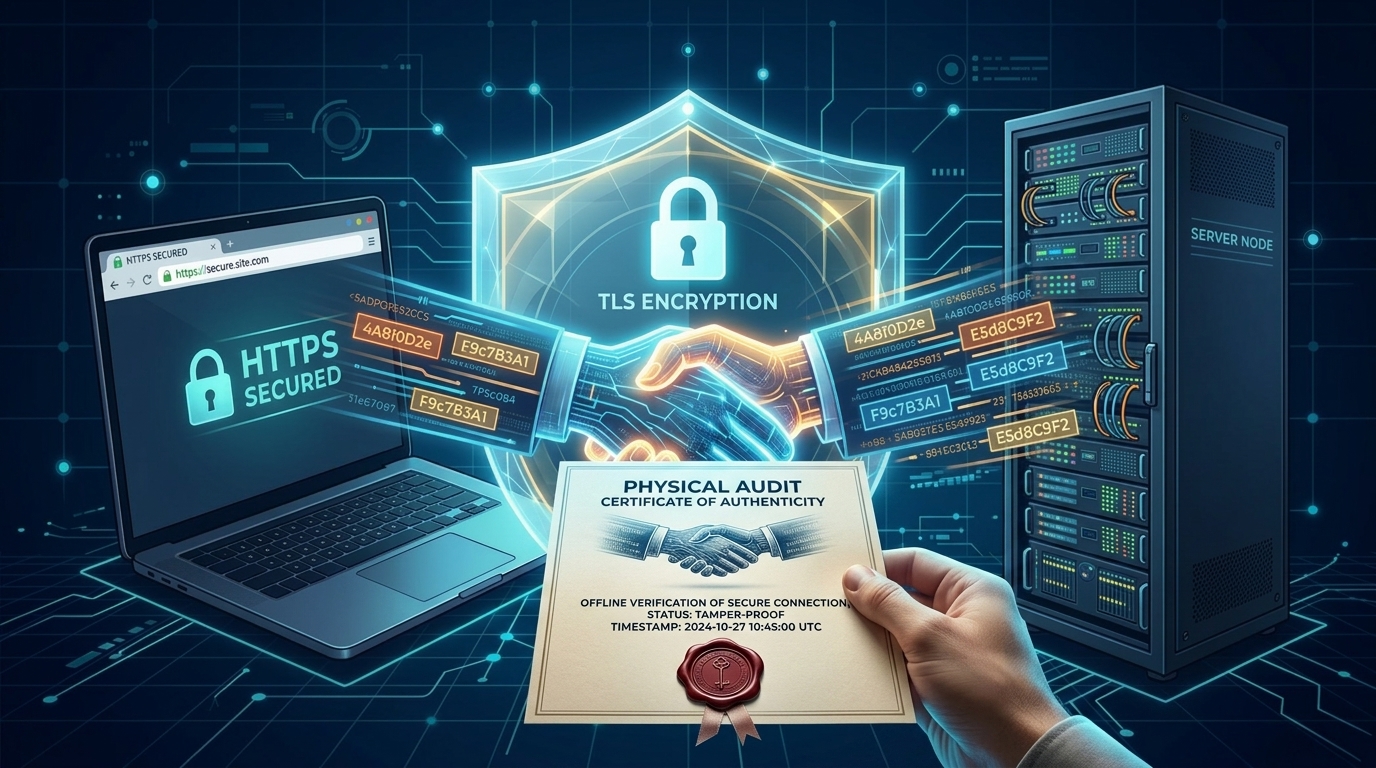
Asymmetric encryption is secure but computationally slow for entire browsing sessions. So, the browser and server agree on a single, unique session key for this visit only. They switch to symmetric encryption using algorithms like AES-256. Now, both sides encrypt and decrypt messages using the same session key. This method is lightning-fast and perfect for the rest of the user's session.
All of this happens in milliseconds. Users never notice the handshake, only the reassuring green padlock.
HTTPS vs. HTTP: The Visible Difference
HTTP (Hypertext Transfer Protocol) is the foundation of data communication on the web. HTTPS is simply HTTP wrapped inside the TLS encryption layer.
-
HTTP: Data travels as plain text. Browser label shows "Not Secure." No ranking boost. Vulnerable to all attacks listed above.
-
HTTPS: Data travels as encrypted ciphertext. Browser label shows "Connection is Secure" plus a padlock icon. Positive ranking signal. Protects users and their data.
Google Chrome and other browsers now actively shame HTTP sites. They display a red "Not Secure" warning in the address bar. Would you enter your email address into a site that your browser warns you to avoid? Neither will your customers.
Why Modern Web Applications Cannot Function Without TLS
Think of TLS as indoor plumbing for your web app. You could build a house without it, but no one would want to live there.
It Secures Login Credentials on Any Network
Users log in from home, work, the gym, and airports. You have zero control over the security of those networks. TLS encrypts the password at the user's device before it leaves, making the network's quality completely irrelevant to security.
It Protects Your APIs and Mobile Apps
Your mobile application talks to your backend API constantly. Most platforms (iOS, Android) and API gateways (like AWS API Gateway) refuse to communicate over HTTP. They demand HTTPS. Without TLS, your modern mobile app simply fails to function.
For detailed implementation guidance, refer to the TLS guidelines from the Internet Engineering Task Force (IETF), the organization that maintains the TLS standards.
It Enables HTTP/2 and HTTP/3 for Speed
Older HTTP/1.1 loads websites slowly. HTTP/2 and HTTP/3 dramatically improve page load speed, but both require TLS encryption. Far from slowing you down, TLS unlocks modern performance features that users expect from professional web applications.
It Powers Secure Session Management
After a user logs in, your application issues a session cookie or JWT (JSON Web Token). Without TLS, an attacker steals this token and hijacks the session instantly. TLS ensures that token remains confidential during every single request between browser and server.
Want to secure your application without slowing it down? Our UI/UX design services integrate security seamlessly into the user journey.
The SEO and Business Case for TLS (Beyond Security)
Savvy business owners see TLS as a growth engine, not a cost center.
Google Rewards Secure Sites
Google explicitly states that HTTPS is a lightweight ranking signal. In competitive niches, every signal matters. More importantly, HTTPS enables referrer data to pass securely. When an HTTPS site links to yours, you preserve the traffic source data in your analytics. HTTP referrers show up as "direct traffic," obscuring your marketing insights.
Learn more about how search engines prioritize secure sites from Google's official security blog, which regularly publishes TLS and HTTPS best practices.
User Trust Directly Increases Conversions
A study by GlobalSign found that 84% of users would abandon a purchase if their data traveled over an insecure connection. The padlock icon serves as a visual contract: "Your data is safe with us." E-commerce stores, SaaS signup pages, and even newsletter signup forms convert at higher rates with HTTPS enabled.
Bounce Rates Improve Dramatically
If a user clicks your Google ad or organic search result and lands on an HTTP page, they immediately see the "Not Secure" warning. Many click back instantly. This high bounce rate signals low quality to Google's algorithm, creating a downward SEO spiral. HTTPS breaks that cycle completely.
For advanced strategies to combine security with visibility, check out this resource on technical SEO and HTTPS implementation.
Debunking the Most Dangerous TLS Myths
Myth 1: "Free SSL (Let's Encrypt) is less secure."
Fact: Let's Encrypt uses the same AES-256 encryption and RSA 2048-bit keys as expensive certificates. Paid certificates offer different validation levels (Extended Validation shows your company name in the address bar), but the encryption strength remains identical.
Myth 2: "TLS alone makes my site secure."
Fact: TLS protects data in transit only. It does nothing to prevent SQL injection, cross-site scripting (XSS) attacks, or vulnerable plugins. Think of TLS as a secure armored truck. It protects the package during delivery, but the package itself must still be safe to ship.
Myth 3: "TLS kills my website performance."
Fact: Modern TLS 1.3 reduces network round trips during the handshake from two to just one. Combined with HTTP/2, TLS often improves load times compared to unencrypted HTTP/1.1.
Myth 4: "Only login pages need TLS."
Fact: Any page that sets a cookie, displays personalized content, or accepts any user input needs TLS. Attackers inject malware into unencrypted pages or steal session tokens from any HTTP resource on your domain.
Refer to the Mozilla TLS guidelines for authoritative, up-to-date recommendations on secure server configuration.
Your Action Plan: How to Implement TLS Correctly
Follow these steps to deploy TLS like a professional.
Obtain Your Certificate
-
For most sites: Use Let's Encrypt via Certbot or your hosting provider's auto-installer. It is free, automated, and trusted by all major browsers.
-
For enterprises needing EV or OV validation: Purchase certificates from DigiCert, GlobalSign, or Sectigo.
Install and Configure
-
Apache: Use the
SSLEngine ondirective and point your configuration to the certificate and private key files. -
Nginx: Use
listen 443 ssl;and thessl_certificateandssl_certificate_keydirectives. -
Managed Hosting (Cloudflare, AWS, etc.): Enable the "Always Use HTTPS" or similar one-click option in your dashboard.
Fix Mixed Content Issues
This is the most common mistake after enabling TLS. Your HTTPS page loads an image, script, or CSS file over HTTP. Browsers block or downgrade these resources.
-
Use browser DevTools (the Console tab) to find mixed content errors.
-
Update all internal URLs to relative paths (like
/image.jpginstead ofhttp://yoursite.com/image.jpg). -
Use the Content Security Policy (CSP)
upgrade-insecure-requestsdirective to automatically upgrade external resource requests.
Maintain TLS Long-Term
-
Automate renewal: Let's Encrypt certificates expire every 90 days. Set up a cron job or a systemd timer for automatic renewal.
-
Test your setup: Use SSL Labs' SSL Test (free online tool) to get a grade for your configuration. Aim for an A+.
-
Disable old protocols: Turn off TLS 1.0 and TLS 1.1. Allow only TLS 1.2 and TLS 1.3.
The TLS Handshake in Action: A Visual Walkthrough
Let us trace a real user request to a TLS-protected web application.
-
User types into their Chrome browser.
-
Client Hello: The browser says, "I support TLS 1.3, these cipher suites, and here is a random number."
-
Server Hello: Your server responds, "OK, let us use TLS 1.3. Here is my certificate (containing the public key) and another random number."
-
Authentication: Chrome verifies the certificate's digital signature using the Certificate Authority's public key (pre-installed in the browser's trust store). It checks that the domain matches and the expiration date is valid.
-
Key Exchange: Both sides generate a unique session key using the random numbers and the server's public key. This session key never transmits over the network.
-
Secure Tunnel Established: Now, every packet of data (form inputs, cookie values, API responses) encrypts with the session key using symmetric encryption.
-
User submits login form: The password
Secret123becomesa8f3c9...(gibberish to any observer). The server decrypts it using the session key. An attacker intercepting the traffic sees only unreadable gibberish.
How TLS Supports Compliance and Legal Requirements
Even non-technical founders understand compliance matters. TLS serves as a baseline control across major regulations.
-
PCI DSS (Payment Card Industry Data Security Standard): Requirement 4 explicitly mandates the use of strong cryptography (TLS) for transmitting cardholder data over open, public networks.
-
GDPR (General Data Protection Regulation): Article 32 requires "appropriate technical and organizational measures" including encryption of personal data. Regulators view TLS as the minimum acceptable measure for protecting user data.
-
HIPAA (Health Insurance Portability and Accountability Act): The Security Rule demands encryption of electronic protected health information (ePHI) in transit. Telehealth platforms cannot legally operate without TLS.
Failing to implement TLS exposes you to fines, lawsuits, and mandatory breach notifications. The free certificate from Let's Encrypt costs you nothing but prevents thousands in potential penalties.
Turn your secure, trusted website into a lead generation machine. See how our lead generation strategies work with encrypted, high-trust web applications.
Common Implementation Mistakes (And How to Avoid Them)
Mistake 1: Forgetting to Redirect All Subdomains
You secure www.yourdomain.com but leave blog.yourdomain.com or api.yourdomain.com on HTTP. Attackers always target the weakest link. Use a wildcard certificate (*.yourdomain.com) or redirect every subdomain explicitly to HTTPS.
Mistake 2: Using Weak Cipher Suites
Old cipher suites like RC4 or 3DES have known public vulnerabilities. Use modern, secure ciphers: ECDHE (Elliptic Curve Diffie-Hellman) for key exchange, RSA 2048-bit or ECC for certificates, and AES-256-GCM for symmetric encryption.
Mistake 3: Not Renewing Certificates on Time
Let's Encrypt certificates expire quickly (every 90 days). Mark your calendar, use Certbot's auto-renewal, and set up monitoring alerts. An expired certificate crashes your entire website with a browser error: "Your connection is not private."
Mistake 4: Hardcoding HTTP URLs in WordPress or Other CMS
Many content management systems store full URLs (http://yoursite.com/image.jpg) directly in the database. Change your site URL to HTTPS in the settings, then use a find-and-replace tool to update all content. For WordPress, consider using a plugin like "Better Search Replace" to perform this safely.
The Future of TLS: Post-Quantum and Automation
The industry continues to evolve TLS for tomorrow's threats.
-
TLS 1.3 is now the standard. It removes old, vulnerable features and reduces handshake latency significantly.
-
Quantum Computing threatens to break current public-key cryptography in the coming decade. The IETF is standardizing Post-Quantum TLS using hybrid key exchange (classical + quantum-resistant algorithms together).
-
Automated Certificate Management Environment (ACME) makes the Let's Encrypt renewal process standard across the entire industry. Future servers will issue and rotate certificates automatically without human intervention, making expired certificates a thing of the past.
Your web application must stay current. Schedule a bi-annual TLS audit to review protocols, ciphers, and certificate lifetimes.
Build trust and boost your rankings with a securely developed website. Partner with us for CMS development that prioritizes encryption and performance.
Frequently Asked Questions (FAQ)
1. Do I need SSL/TLS for a simple static website that only shows text and images?
Yes, you do. Even a static website sets cookies for analytics, and browsers display a "Not Secure" warning for any HTTP page. That warning damages your credibility and trust with visitors.
2. Is free TLS from Let's Encrypt really as secure as paid certificates?
Yes. The encryption strength (AES-256, RSA 2048-bit) is identical. Paid certificates offer different validation levels (like showing your company name), but the underlying security and encryption are exactly the same.
3. Does TLS completely stop all forms of hacking?
No, it does not. TLS protects data while it travels between the browser and your server. It does not prevent SQL injection, cross-site scripting, or server breaches. You still need secure coding practices and a web application firewall.
4. Can TLS slow down my website's loading speed?
Not with modern TLS 1.3 and HTTP/2. In many cases, TLS actually improves performance because it enables these faster protocols. Older TLS 1.0 had performance overhead, but that version is now obsolete.
5. Is HTTPS required for good Google search rankings?
Yes, Google uses HTTPS as a confirmed ranking signal. While not the strongest signal, it matters in competitive searches. More importantly, HTTPS reduces bounce rates from security warnings, which indirectly improves rankings.
6. What happens if my TLS certificate expires?
Your website becomes completely inaccessible to most users. Browsers will show a full-page error message saying "Your connection is not private" and require advanced clicks to proceed. Most visitors will simply leave and never return.
7. How often do I need to renew my TLS certificate?
It depends on the certificate authority. Let's Encrypt certificates expire every 90 days. Paid certificates typically last one year. Many modern hosting platforms automate this renewal process for you.
8. Does TLS protect my website's backend database?
No. TLS only protects data in transit between the browser and your web server. Data at rest inside your database requires separate encryption (like disk encryption or database-level encryption).