
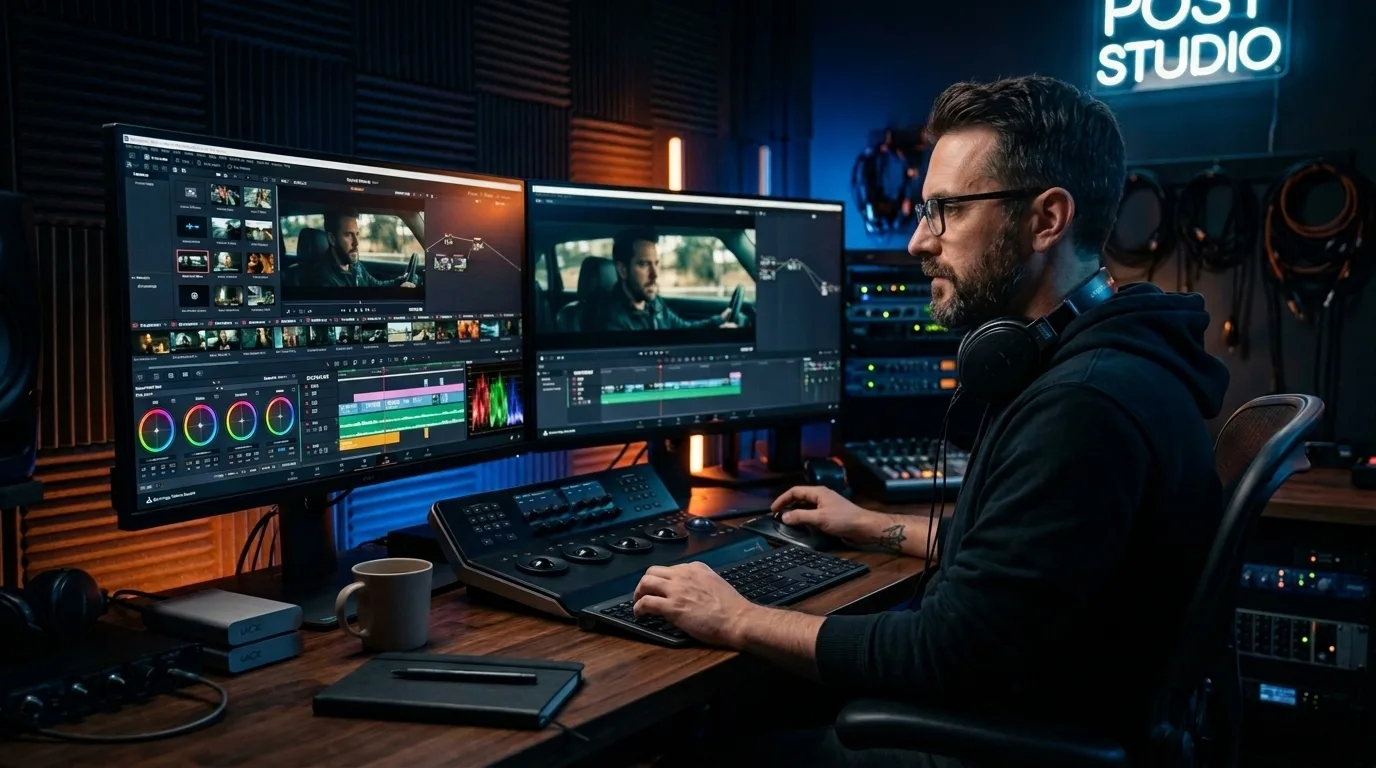
Visual media dominates the modern digital landscape. Every day, millions of individuals watch videos on streaming platforms, social media networks, and corporate websites. Yet, behind every captivating film, engaging YouTube tutorial, or viral TikTok clip lies a meticulous, highly creative process known as video editing.
Video editing transforms raw, disconnected footage into a structured, emotionally resonant narrative. It serves as the invisible thread that binds scriptwriting, directing, cinematography, and sound design into a unified artistic expression. Whether you want to launch a creative career, expand your business marketing efforts, or simply understand how your favorite films come to life, grasping the mechanics of video editing is essential.
This comprehensive guide explores the definition of video editing, its historical evolution, the technical post-production workflow, industry-standard software, and the future of the craft in an artificial intelligence-driven world.
Ready to Elevate Your Brand Content?
Discover professional video editing services to transform raw footage into highly engaging, high-converting cinematic masterpieces today.
The Historical Evolution: From Physical Film to Digital Pipelines
The Era of Linear Film Editing
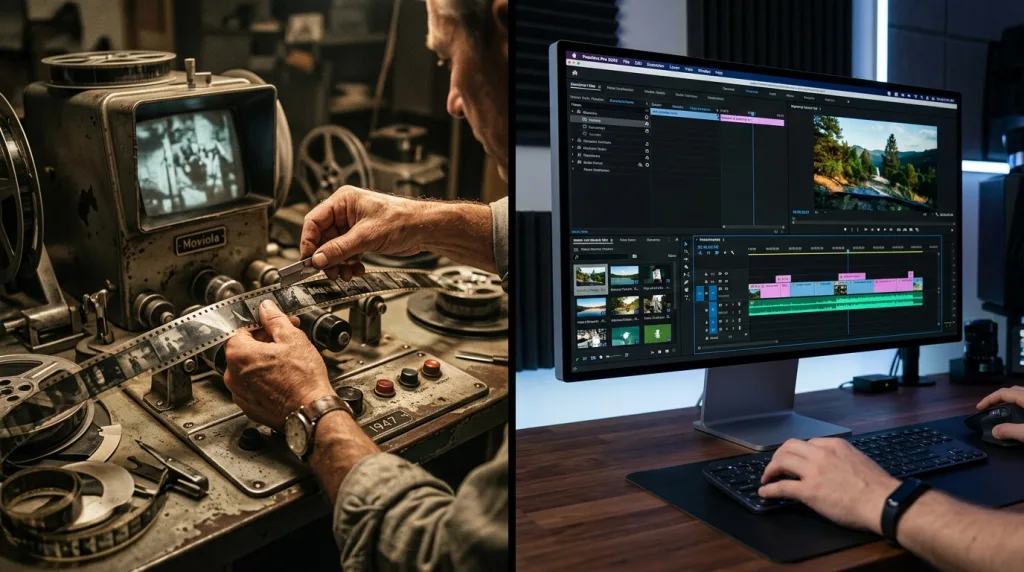
To appreciate modern digital workflows, you must understand where the craft began. In the early days of cinema, filmmakers used linear editing techniques. Editors physically cut celluloid film strips with razor blades and spliced them together using specialized tape or chemical cement.
This process required immense physical precision and foresight. If an editor made an incorrect cut, repairing the physical film strip proved difficult and often degraded the image quality. The linear approach meant that editors had to assemble the story sequentially, from the very first scene to the final frame. If a director wanted to change a scene near the beginning of the movie, the entire subsequent sequence required physical rebuilding.
The Rise of Non-Linear Editing (NLE)
The digital revolution entirely disrupted this paradigm by introducing Non-Linear Editing (NLE) systems. Today, software platforms allow editors to modify any part of a video project at any time, regardless of chronological order.
Digital files exist as data on hard drives rather than physical strips of film. When you cut a video clip in a modern NLE, the software does not alter the original source file. Instead, it alters the playback instructions. This non-destructive editing process empowers creators to experiment freely, test multiple narrative structures, and undo mistakes with a simple keyboard shortcut.
Why Video Editing Matters in the Modern Digital Era
Enhancing the Visual Narrative
Cinematographers capture beautiful imagery, and actors deliver powerful performances, but the editor determines how the audience perceives those elements. Video editing establishes the context of a scene. By juxtaposing two different images, an editor can create entirely new meanings in the mind of the viewer a psychological phenomenon known as the Kuleshov Effect.
For instance, showing a close-up shot of an actor’s neutral face followed by a shot of a bowl of soup makes the audience believe the actor feels hungry. If you replace the soup with a shot of a coffin, the audience instantly perceives grief. The editor guides the emotional journey of the audience through these intentional visual relationships.
Controlling Pacing and Psychological Tension
Pacing refers to the speed and rhythm of a video. An editor controls pacing by adjusting the duration of individual shots and selecting specific moments to cut.
- Fast Pacing: Quick, rapid cuts generate excitement, urgency, or chaos. Action movies, commercial advertisements, and high-energy social media videos rely heavily on fast pacing to sustain adrenaline.
- Slow Pacing: Long, uninterrupted shots create an atmosphere of calm, suspense, or deep reflection. Art-house films and dramatic documentaries utilize slow pacing to let the audience absorb the environment and emotional subtext.
Retaining Digital Audience Attention
In the creator economy, maintaining high audience retention metrics is vital for algorithmic success. Content creators must capture attention within the first three seconds of playback. Modern editors use strategic visual hooks, rapid pattern interrupts, on-screen text graphics, and dynamic sound effects to prevent viewers from scrolling away.
The Three Core Stages of the Post-Production Process
1.Ingestion & Organization:
- Import Raw Media: Securely transfer and back up all raw camera and audio assets.
- Preparation: Handle metadata logging, apply descriptive tags, and generate proxy files for smoother editing performance.
2.The Creative Cutting Phase:
- Assembly Cut: Arrange all scenes chronologically according to the script to build the initial skeleton of the project.
- Rough Cut: Refine the pacing, tighten dialogue, and establish the core emotional structure.
- Fine Cut & Picture Lock: Finalize all visual timings and transitions. Once locked, no further structural changes to the video are made.
3.The Finishing Stage:
- Color & Visuals: Balance shots with color correction and establish the project’s visual tone through artistic color grading.
- Audio: Complete the soundscape with sound design, Foley recording, dialogue cleanup, and the final audio mix.
- Delivery: Export the final master file using precise technical codecs tailored for the intended distribution platforms.
Phase 1: Ingestion and Media Organization
Before cutting a single frame, an editor must handle data management. Ingestion involves importing raw audio and video assets from camera memory cards onto secure, redundant storage arrays.
- File Naming Conventions: Professional editors organize assets into explicit folder structures, categorizing footage by shoot date, camera angle, scene number, and audio type.
- Proxy Creation: Raw video files from high-end cinema cameras are often too large for computer processors to play back smoothly. Editors generate proxies—lightweight, lower-resolution duplicate files—to use during the editing process. Before the final export, the software replaces these proxies with the original high-resolution footage.
Phase 2: The Creative Cutting Phase
Once the project database is organized, the structural storytelling begins. This phase progresses through three distinct iterations:
- The Assembly Cut: The editor places all usable footage onto the timeline in chronological order according to the script. This version contains no advanced transitions or effects and runs significantly longer than the target runtime.
- The Rough Cut: The editor tightens the narrative, eliminates unnecessary subplots, fixes continuity errors, and refines dialogue pacing.
- The Fine Cut and Picture Lock: The editor focuses on frame-by-frame precision, ensuring every transition feels seamless. Once the director and producers approve the fine cut, the project achieves “picture lock,” meaning no further structural changes will occur to the visual timeline.
Phase 3: The Finishing Stage
With the picture locked, the project enters the finishing stage, where specialist artists enhance the sensory experience. Colorists balance the images, while sound designers build the acoustic environment. Finally, the editor exports the video using highly specific delivery codecs tailored for theatrical projection, television broadcasting, or web streaming.
Check out our expert photo editing services to match stunning graphics with your high-quality video content perfectly.
Key Cutting Techniques and Terminology Every Editor Must Master
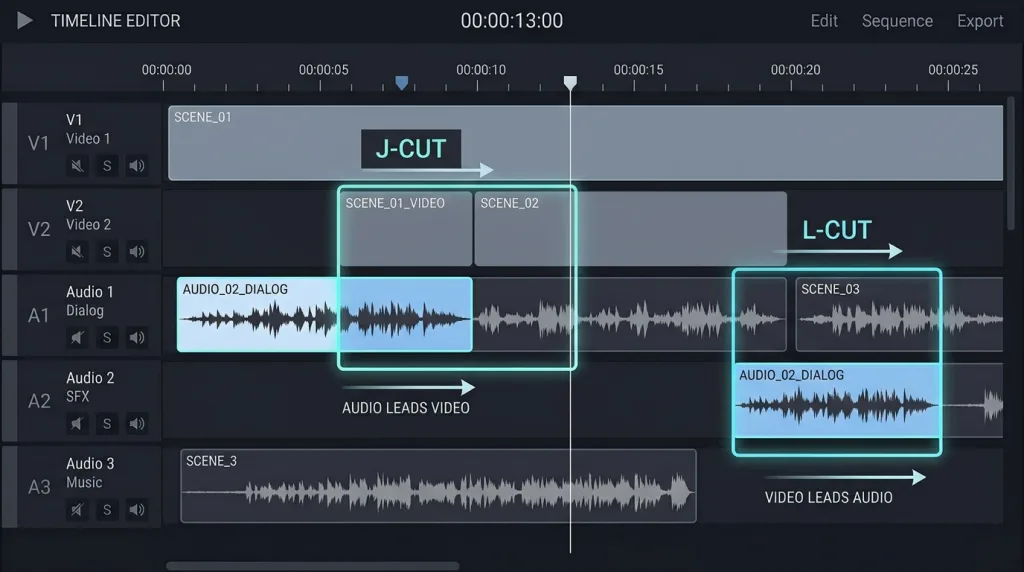
Professional video editors use an array of established cutting techniques to maintain continuity and direct the viewer’s attention. Here is how these foundational cuts operate on an editing timeline.
Core Cutting Techniques
| Cut Type | Visual Track | Audio Track | How It Works |
| Standard Cut | Clip A → Clip B | Audio A → Audio B | A hard cut where both audio and video transition to the next clip at the exact same time. The most basic and common cut. |
| Jump Cut | Clip A → Clip A | Audio A → Audio A | A cut forward in time within the same continuous shot. It creates a jarring visual jump, often used to skip dead space or create a fast-paced, stylized effect. |
| J-Cut | Clip A → Clip B | Audio B → Audio B | Audio leads. The audience hears the audio from the next scene (Clip B) before they see the visual. It creates a smooth, anticipatory transition. |
| L-Cut | Clip A → Clip B | Audio A → Audio A | Video leads. The audience sees the visual of the next scene (Clip B), but still hears the audio from the previous clip (Clip A). Often used to show a character’s reaction while someone else is speaking. |
Core Editing Cuts
- The Standard Cut: This fundamental cut links the end of one video clip to the beginning of the next without any stylistic transition. It mimics the natural human experience of shifting your gaze from one object to another.
- The Jump Cut: A jump cut removes a middle section of a continuous shot, causing the subject to appear to instantly skip forward in time. While classical Hollywood cinema avoided jump cuts because they break spatial continuity, modern vloggers use them constantly to eliminate pauses and speed up delivery.
- J-Cuts and L-Cuts: These split edits disconnect the audio cut from the video cut to create smoother conversational transitions. In a J-Cut, the audio of the upcoming scene begins playing before the audience sees the corresponding video. In an L-Cut, the video changes to the next shot while the audio from the previous scene continues playing underneath.
Advanced Cinematic Cuts
- The Match Cut: A match cut joins two distinct compositions that share similar visual shapes, movements, or thematic concepts. A famous historical example occurs in the film 2001: A Space Odyssey, where a prehistoric bone tossed into the air cuts directly to a futuristic spaceship orbiting in outer space.
- Cutting on Action: This technique hides the visual transition by cutting to a different camera angle right in the middle of a subject’s physical movement. For example, if a character begins to punch a door from an interior camera perspective, the editor cuts to an exterior wide shot at the exact millisecond the fist hits the wood. This matching kinetic energy tricks the human brain into perceiving the edit as completely seamless.
Industry-Standard Video Editing Software Analysis

Choosing the right software platform depends heavily on your hardware ecosystem, budget constraints, and project types. The table below outlines the primary professional options available in the creative marketplace.
| Software Program | Primary Target Audience | Core Technical Strength | Operating System Compatibility |
| Adobe Premiere Pro | Content Creators, Indie Filmmakers, Agencies | Extensive Creative Cloud Integration | Windows, macOS |
| DaVinci Resolve | Hollywood Studios, Colorists, High-End Post Houses | Master-Grade Color Correction & Finishing | Windows, macOS, Linux |
| Final Cut Pro | Solo Creators, Apple Enthusiasts | Incredible Render Speeds & Timeline Optimization | macOS |
| Avid Media Composer | Enterprise Broadcast Television, Feature Films | Massive Multi-User Network Project Sharing | Windows, macOS |
Adobe Premiere Pro: The Creative Ecosystem Champion
Adobe Premiere Pro serves as the industry standard for digital media production. Its primary advantage is its native, seamless ecosystem integration with companion apps like Adobe After Effects for motion graphics, Adobe Photoshop for graphic design, and Adobe Audition for advanced multi-track audio engineering.
Premiere Pro features a flexible panel-based user interface that users can customize for specific workflows. Its robust Lumetri Color panel and automated transcription tools make it highly popular among advertising agencies and online video producers.
DaVinci Resolve: The King of Cinematic Finishing
Developed by Blackmagic Design, DaVinci Resolve began exclusively as a high-end hardware color grading solution. Over the last decade, it has evolved into a powerhouse application that combines editing, color correction, visual effects (Fusion), and professional audio engineering (Fairlight) within a single software architecture.
DaVinci Resolve offers an incredibly powerful free tier alongside its paid Studio version. Its node-based color grading workflow provides unparalleled mathematical control over the individual color channels of an image, making it the preferred software for big-budget cinema and commercial finishing pipelines.
The Crucial Role of Audio Design in Video Editing
The Three Core Audio Elements
| Layer | Primary Role | Key Processing Techniques |
| Dialogue | Carries the narrative and information. Must always remain the focal point of the audio mix. | Noise reduction, subtle compression, EQ high-pass filter (cut below 80 Hz), centered panning. |
| Ambient Sound | Grounding the visual in a real physical environment (room tone, atmospheric background, Foley effects). | Stereo widening, subtle reverb matching the scene’s location, moderate volume attenuation. |
| Music Score | Establishes mood, rhythm, and emotional resonance across scene transitions. | EQ carving (notching out 1–3 kHz for speech clarity), sidechain compression/ducking tied to dialogue. |
Dialogue Preservation and Audio Cleanup
The editor’s first acoustic priority is ensuring clear, intelligible human speech. Editors use advanced equalization (EQ) tools to remove low-frequency rumble from air conditioners or high-frequency hiss from digital preamps. They employ multi-band compressors to smooth out sudden volume spikes, keeping speech levels stable throughout the timeline.
Ambient Soundscapes and Foley Engineering
To make a scene feel authentic, sound designers build a layered acoustic environment. Ambient soundscapes supply background tracks such as distant city traffic, rustling leaves, or subtle indoor room tone—that ground the visuals in a physical space.
Foley artists recreate everyday sound effects in a specialized studio, recording customized tracks for footsteps, clothing rustles, clinking glasses, and closing doors. These subtle layers fill the acoustic void, ensuring the digital environment matches the visual world.
Musical Score Integration and Audio Ducking
Music establishes the emotional framework of a video project. Editors cut video frames to the rhythmic downbeats of a song to generate momentum.
When mixing music with spoken dialogue, editors apply a technique called audio ducking. They lower the volume of the music bed by several decibels whenever a character speaks, allowing the vocals to sit cleanly at the front of the mix. Once the dialogue stops, the music volume scales back up to fill the narrative pauses.
Color Correction vs. Color Grading: A Vital Distinction

The Color Workflow Pipeline
1.Raw / Unprocessed Footage:Input Stage.
- Flat / Log Profiles: Video straight from the camera sensor, recorded with flat contrast and desaturated colors to maximize dynamic range data.
2.Color Correction:Technical Fix — Objective: Realism & Consistency.
- Balance White Balance: Neutralize color casts by correcting temperature and tint to achieve true whites and natural skin tones.
- Fix Exposure & Contrast: Adjust highlights, midtones, and shadows to expand the dynamic range into standard broadcast limits.
- Match Cameras: Normalize shots captured across different camera models, lenses, or lighting setups so the timeline looks seamless.
3.Color Grading:Artistic Choice — Objective: Mood & Narrative Tone.
- Stylized Palettes: Apply custom color looks or LUTs (Look-Up Tables)—such as teal/orange split toning or muted vintage tones.
- Visual Storytelling: Set the narrative atmosphere (e.g., cool blue tones for isolation/suspense, warm golden hues for nostalgia/comfort).
- Evoke Emotion: Manipulate colors intentionally to guide the viewer’s psychological response and establish a distinct cinematic signature.
Color Correction: The Technical Calibration Phase
Color correction is an objective, technical process designed to fix errors made during production. It normalizes footage to reflect exactly how the human eye views reality.
During this phase, an editor corrects incorrect camera white balance, restores clipped highlights, raises crushed shadow details, and matches shots from different cameras so they look identical. Editors analyze technical waveforms, vectorscopes, and histograms to ensure accurate, true-to-life skin tones.
Color Grading: The Creative Atmosphere Phase
Color grading is a subjective, artistic process that occurs after color correction. Here, the colorist manipulates colors to evoke specific moods, narrative themes, and psychological states.
For instance, a colorist might apply a bleak, desaturated blue tint to a dystopian sci-fi film to evoke loneliness or despair. Conversely, they might choose warm, saturated golden tones for a nostalgic romance film to generate comfort or joy. This creative styling helps tell the story on a subconscious level.
Deploy advanced lead generation strategies to grow your business revenue and reach effortlessly.
Video Editing Careers and Professional Market Navigation
As global demand for digital content expands, video editing has transformed into a highly lucrative, diverse career path.
Navigating the Freelance Ecosystem
Many video editors work as independent freelancers, running their own creative businesses. Freelancers serve corporate clients, digital marketing agencies, real estate firms, and independent YouTube channels.
Success as a freelancer requires strong self-marketing skills and a deep understanding of digital discovery. Freelance content creators must optimize their professional platforms by targeting informational keywords to attract high-paying corporate clients who are looking for educational guides and production support.
Traditional In-House Agency and Studio Positions
For those who prefer stable career paths, advertising agencies, television networks, and corporate media departments employ full-time, in-house editors. In-house editors enjoy collaborative work environments alongside creative directors, copywriters, and motion designers. These roles offer steady salaries and structured workflows, though they typically trade creative freedom for corporate brand consistency.
Building a High-Converting Portfolio Showreel
Your educational degrees matter far less to prospective clients than your actual creative output. A professional portfolio or “showreel” is a short, fast-paced video compilation lasting 60 to 90 seconds that showcases your absolute best editing work.
A successful showreel should instantly capture attention, highlight your technical versatility across different genres, demonstrate pristine sound design, and include clear contact information at the final frame.
The Future of Video Editing: Artificial Intelligence and Human Artistry
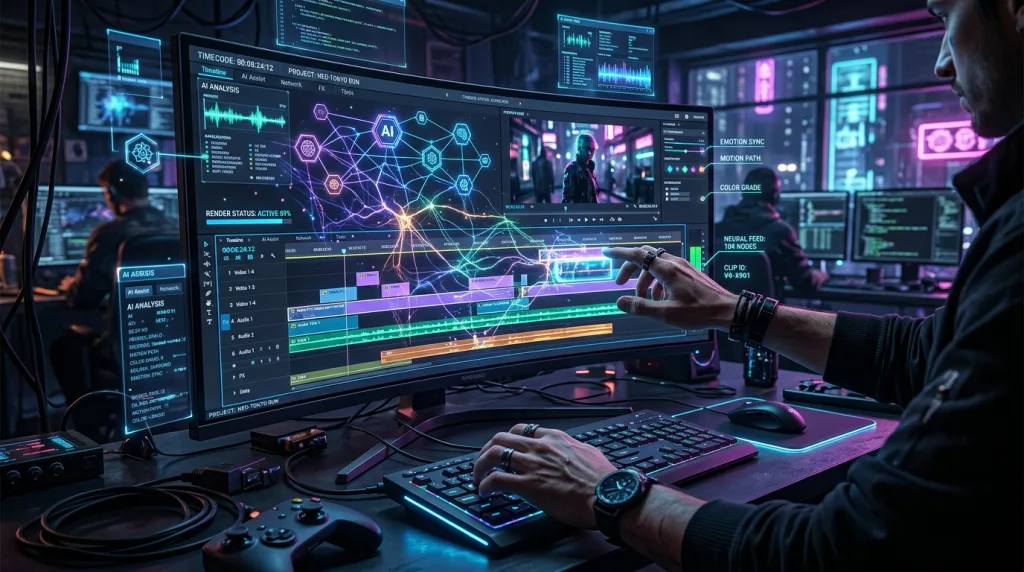
The integration of artificial intelligence (AI) has sparked intense debate across the global entertainment industry, prompting organizations like the Academy of Motion Picture Arts and Sciences to evaluate its long-term impact on filmmaking crafts.
AI Automation of Technical Workflows
AI excel at eliminating repetitive, time-consuming tasks that historically slowed down the post-production pipeline. Modern software platforms leverage machine learning algorithms to automate:
- Instant multi-camera speech transcription and text-based editing.
- Real-time semantic sorting and automated footage tagging based on facial recognition.
- Intelligent background noise isolation and dialogue clarity enhancement.
- Automated color matching between completely different camera brands.
Why Human Creativity Remains Irreplaceable
While artificial intelligence can process data and execute technical tasks at incredible speeds, it cannot comprehend human emotion, nuance, subtext, or culture.
An AI tool can cut a video exactly according to a script, but it cannot decide to delay a cut by three frames to let a character’s silent grief resonate with the audience. Human intuition, empathy, and artistic vision remain the driving forces behind memorable storytelling. The future of the craft belongs to hybrid editors who use AI tools to eliminate technical repetition, freeing up more mental energy for creative expression.
Summary of the Video Production Journey
Mastering video editing requires a balanced blend of technical precision and creative curiosity. By understanding the core cutting techniques, mastering the three stages of post-production, treating audio with equal importance to video, and embracing new AI automation tools, you can turn any raw footage into a compelling visual narrative. Treat every project as an opportunity to experiment, refine your unique creative voice, and connect with audiences around the world.
Partner with our strategic SEO experts to rank your creative video content on search engine results pages.
Frequently Asked Questions (FAQ)
What is the difference between non-linear and linear video editing?
Linear editing requires editors to assemble scenes sequentially by physically cutting and splicing physical film strips. Modern non-linear digital editing allows you to modify any section of a video project at any time in any order. This non-destructive process preserves your original media files entirely.
Do I need an expensive, high-end computer to start learning video editing?
While high-end computers speed up export processes, you do not need an expensive system to begin learning. You can learn the core principles of narrative pacing, cutting, and organization on basic laptops or desktop computers. Generating lightweight proxy files allows lower-spec systems to process edits smoothly.
What are J-cuts and L-cuts, and why should I use them?
J-cuts and L-cuts are advanced split edits where the audio and video transitions happen at different times. A J-cut plays the audio of an upcoming scene before the video appears, while an L-cut keeps the audio from a previous scene playing underneath the new visual. These cuts make transitions between speakers sound completely natural.
How does color correction differ from color grading?
Color correction is a technical process that balances white points, exposures, and contrasts so your footage looks realistic and consistent across different cameras. Color grading is a creative process applied afterward that alters colors to establish a specific mood, artistic atmosphere, or emotional theme.
Will artificial intelligence completely replace human video editors?
Artificial intelligence will automate tedious administrative tasks like generating transcripts, syncing audio, and organizing files. However, AI lacks human empathy, cultural context, and artistic intuition. Human editors remain essential for making the creative choices that build deep emotional connections with audiences.
What is a video showreel, and how long should it be?
A video showreel is a short, fast-paced portfolio video that showcases your best technical work to prospective clients. It should run between 60 and 90 seconds long, highlight your unique creative strengths, feature immaculate audio design, and conclude with clear professional contact information.
Keep reading
All articles
Freelance Video Editor Rates: The Complete 2026 Cost and Budgeting Guide
The modern digital landscape relies heavily on high-quality video content to capture audience attention, drive brand engagement, and secure conversions. Whether you…
Read article
Easy Ways to Remove Background Noise From Video Perfectly
Introduction: The Importance of Crystal Clear Audio Nothing ruins a beautiful shot faster than terrible sound. You spend hours setting up the…
Read article
The 9 Best Mirrorless Cameras in 2026: The Ultimate Buying Guide
The global photography landscape has completed its historic transition. In 2026, mirrorless technology completely dominates the creative sector, rendering legacy digital single-lens…
Read article